
50 best PowerPoint templates for 2026: education, business & more
Explore PowerPoint templates with professionally designed layouts to create polished, modern, and visually cohesive presentations.
Envato: Get every type of asset for any type of project, and access to AI tools. Start now
Delve into the essentials of 3D texturing with a focus on Physically-Based Rendering (PBR), various texture types, and the key 3D tools and software used by professionals.

Have you ever wondered how movies and video games achieve such lifelike textures? The answer lies in the fascinating world of 3D texturing, a crucial element in bringing digital models to life. From the realistic skin on a character to the worn-out look of an old building, textures add depth, color, and personality to 3D creations, making them feel tangible and real.

In this article, we’ll cover the essentials of 3D texturing, focusing on Physically Based Rendering (PBR), a technique that has revolutionized digital artists’ work. We’ll cover the different types of textures, introduce you to the tools and software that professionals rely on, and walk you through the PBR workflow step by step. By the end, you’ll have a solid grasp of how 3D texturing works and be ready to explore it further in your projects.

3D texturing is the art of applying detailed images, or “textures,” to 3D models, giving them the appearance of real-world materials like wood, metal, or skin. Think of it like wrapping a present—while the model is the basic shape (or the “present”), the texture is the decorative paper that makes it visually appealing.

These textures can range from simple colors to complex patterns that add depth and realism to the object.

Multiple types of textures are often combined to create a fully realized 3D model, each serving a specific purpose. The most common of these can include:

Each texture type works together to create a final appearance, allowing you to bring your 3D models to life with convincing detail and complexity. Understanding how to effectively use these different textures is key to mastering 3D texturing and creating visually stunning digital art.
You’ll need the right tools and software to bring your 3D models to life with rich, detailed textures. Fortunately, a wide range of options are available, from industry-standard programs to free alternatives, catering to everyone from beginners to professionals.

Widely regarded as the gold standard in the industry, Adobe’s Substance Painter offers a comprehensive set of tools for creating highly detailed textures using a PBR workflow. It allows you to paint directly onto your 3D models in real-time, with instant feedback on how textures will look under different lighting conditions. Its vast library of materials and customizable brushes make it the go-to software for many game development and film artists.

Quixel Mixer is another powerful tool primarily known for its seamless integration with Megascans, a massive library of high-quality scanned assets. Mixer allows you to create complex textures by blending different materials and adding custom details. It’s user-friendly and ideal for beginners and professionals who want to quickly create photorealistic textures.

Blender is a free, open-source 3D creation suite with robust texturing tools. While it may not be as specialized as Substance Painter or Quixel Mixer, Blender’s texturing capabilities are impressive, especially considering it’s free. It’s a great starting point for beginners and offers everything you need to dive into 3D texturing, from UV mapping to painting directly on your models.

3D-Coat is a versatile tool that excels in both sculpting and texturing. It’s solid in creating complex textures like characters and creatures for organic models. Its easy-to-use interface makes it accessible to beginners, while its powerful features cater to advanced users looking to create detailed, realistic textures.

Developed by Foundry, Mari is a high-end texturing tool favored in the film and visual effects industries. It excels at handling highly high-resolution textures and complex models with millions of polygons. Mari offers advanced features for painting directly onto 3D models, making it ideal for creating highly detailed and intricate textures.

While not specifically designed for 3D texturing, Photoshop (and its free alternative, GIMP) are essential tools for creating and editing texture maps. They’re handy for creating diffuse, bump, and normal maps from scratch or tweaking existing textures.

This real-time renderer is perfect for previewing textured models in different lighting environments. Artists use Marmoset Toolbag to present their work in a polished, professional way, allowing for detailed inspection of textures and materials.
Physically based Rendering (PBR) is a modern approach to texturing and shading that aims to create more realistic and consistent materials in 3D environments. Unlike traditional texturing methods, PBR is based on the principles of how light interacts with different surfaces in the real world.

By simulating these interactions more accurately, PBR allows artists to create materials that look correct under various lighting conditions, making it a powerful tool for achieving photorealism in games, films, and other digital content.
At its core, PBR is all about realism. Whether it’s a rock’s dull, rough surface or a polished metal’s shiny, reflective finish, PBR enables these materials to look believable across different environments without needing to tweak settings for each new lighting scenario.

The term “workflow” is often used when discussing creating materials in PBR, and it basically refers to the process you’ll use to combine different texture maps. This could mean deciding which types of maps to include or how you’ll layer them together to achieve the look you want.
The great thing about PBR is that there’s no one-size-fits-all approach—you can choose a workflow that best fits your project’s needs, the software you’re using, and the style you’re aiming for. Here are some of the most common workflows that you might come across:

Metallic/roughness workflow: This is the most widely used PBR workflow. It focuses on two main texture maps: the Metalness Map (determining whether a material is metallic or non-metallic) and the Roughness Map (controlling how smooth or rough a surface appears). This workflow is great for achieving realistic reflections and surface details, making it a go-to choice for most projects.

Specular/Glossiness workflow: Similar to the Metallic/Roughness workflow, this method divides materials into Dielectric (non-metallic) and Metal categories. The main difference is in how reflections are handled, emphasizing the base reflectivity of materials. It’s a solid choice for artists with a slightly different approach to managing surface properties.

Stylized workflow: The Stylized Workflow is designed for projects that aim for a more artistic, non-photorealistic look. Instead of striving for perfect realism, this workflow exaggerates features and uses more simplified, hand-painted textures. This approach often uses a mix of Albedo, Normal, and Emissive maps, with less emphasis on physical accuracy and more on artistic expression. It’s popular in games and animations with a unique, eye-catching style.
To truly appreciate the impact of Physically-Based Rendering (PBR), it’s helpful to look at real-world examples of this technique used to create stunningly realistic visuals. PBR has transformed industries like video games, film, and even virtual reality (VR) by enabling artists to produce materials that look believable in any lighting condition. Here are a few case studies that showcase the power of PBR in action:

When The Witcher 3: Wild Hunt was released, it set a new standard for visual quality in open-world games. One key factor behind its breathtaking environments and lifelike characters was the use of PBR. The developers used the Metallic/Roughness workflow to create materials that reacted naturally to the game’s dynamic weather system and day-night cycle. Whether Geralt was trudging through the rain-soaked streets of Novigrad or battling monsters in the snow-covered forests, the materials retained their realistic appearance, contributing to the game’s immersive experience.

In Disney’s 2016 live-action remake of “The Jungle Book,” PBR played a crucial role in achieving the film’s hyper-realistic CGI environments and characters. The team used a PBR workflow to accurately simulate the complex interactions between light and various materials, such as the fur of animals and the rough bark of trees.
This approach allowed the CGI elements to blend seamlessly with the live-action footage, making the jungle scenes look incredibly lifelike. PBR’s success in this film demonstrated its potential to revolutionize visual effects in the movie industry.

In VR, where immersion is everything, PBR is indispensable. Half-Life: Alyx, a VR game that pushed the boundaries of what’s possible in virtual environments, extensively used PBR to create materials that felt real and tangible. The developers used the PBR workflow to ensure that every object, from rusty metal pipes to reflective glass surfaces, responded accurately to the player’s flashlight and the changing ambient light. This attention to detail heightened the sense of presence and made the game world feel solid and believable—a critical factor in VR.

In architectural visualization, PBR creates lifelike renders of buildings and interiors before construction. Using a PBR workflow, architects and designers can simulate how materials like marble, wood, and glass will look in different lighting conditions. This allows for more accurate and persuasive presentations to clients. For example, a photorealistic render of a modern kitchen might use PBR to showcase how the polished granite countertops gleam under artificial lighting or how the wooden floors reflect natural sunlight streaming in from a window.
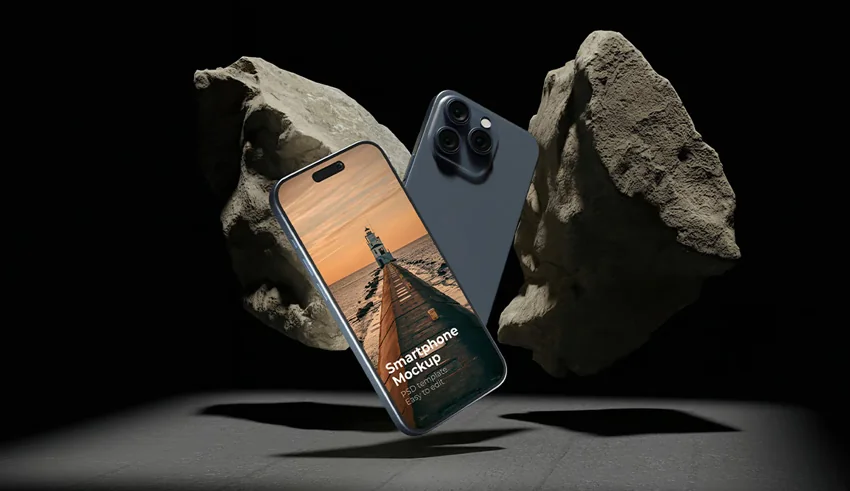
PBR is essential for creating photorealistic visualizations that showcase products with stunning realism before they even hit the market. Whether it’s consumer electronics, luxury goods, or automotive designs, PBR allows designers to simulate materials like brushed metal, glossy plastic, and fine leather under various lighting conditions. These lifelike renders are used in marketing campaigns, online stores, and promotional materials, helping customers visualize products as they appear in real life.
3D texturing and Physically-Based Rendering (PBR) are at the heart of creating visually stunning digital content, whether it’s for video games, films, or virtual reality. By understanding the different types of textures, mastering the tools and software, and adopting effective workflows, you can bring your 3D models to life with remarkable realism and detail.

As you’ve seen through the case studies and best practices, PBR isn’t just about making things look good—it’s about consistency, efficiency, and adaptability. Whether you’re just starting out or looking to refine your skills, embracing PBR techniques will allow you to create materials that look great in any lighting condition and perform well across various platforms.
Can’t get enough of 3D design? Check out our top 3D design trends predictions for 2025, plus these iconic 3D icon tips, tricks, and trends! Or, head to Envato to start creating today.
Explore PowerPoint templates with professionally designed layouts to create polished, modern, and visually cohesive presentations.

Learn what font Nike uses, explore its typography evolution, and discover Nike font alternatives to create bold, minimal, high-impact designs for branding and campaigns.

Discover bold music video fonts for 2026, with top picks and bonus styles that help creators match sound, genre, and mood with striking visual identity.

Learn how to create an AI infographic design using GraphicsGen and Illustrator, from idea to reusable systems, with a step-by-step workflow for consistent, scalable visuals.